by Mark Nemtsas | Aug 18, 2008 | Tips and Tricks, Using the Software
Rounding of time clock data is both legal and commonly practiced in many areas. Typically time clock rounding rules allow rounding of employee attendance information either up or down based on predefined time segments. Usually these time segments are either 6 minutes, 15 minutes, or 30 minutes. Normal arithmetic rounding rules are used, so for example:
- Rounding set to 15 minutes, an employee clocking in between 8:00:00AM and 8:07:29AM will have their time rounded down to 8:00:00AM.
- Rounding set to 15 minutes, an employee clocking in between 8:07:30AM and 8:14:59AM will have their time rounded up to 8:15:00AM.
Which Time Clock Rounding Rules your company decides to use depends on the local regulations in your area. In the interests of fairness (and probably legality) a balanced rounding approach should be used, as this favors neither the employer or employee. However, some localities allow the use of time clock rounding rules that ALWAYS ROUND UP clock in times and ALWAYS ROUND DOWN clock out times. This is clearly favorable to the employer and should be used with caution (if it is used at all).
Whatever time clock rounding rules you choose to adopt be assured that Time Clock MTS is able to perform the rounding automatically and accurately for you. You can setup Time Clock MTS to do your time clock rounding automatically using the Payroll Settings screen from within the software.
by kathryn@timeclockmts.com | Aug 13, 2008 | New Releases, News
A minor release today fixing up some bugs. These include:
- Report section template fields are now added correctly for MySQL database users.
- Fix to allow the employee name to be displayed as double byte characters (such as Cyrillic, Chinese or Japanese) in the last action area.
- A fix to an overflow error if a string longer than 9 characters was entered via the keypad interface.
You may also notice that I’ve split the Tools->Options->Payroll Settings page into separate Payroll Settings and Overtime Settings pages. This is to allow for some new payroll and overtime settings that will be added soon (such as being able to flag a week day as overtime and restricting employees to clocking in/out to their assigned shift times).
by Mark Nemtsas | Aug 12, 2008 | Tips and Tricks
Monitoring of employee attendance is a key requirement if you are to minimize employment costs and improve business efficiency. Some of the key benefits to a business that has an adequate time and attendance reporting system include:
- Easier identification and elimination of time card fraud.
- Identification of areas of excess overtime and elimination of the cost by increasing staffing levels or improving efficiency in other business processes.
- Management has a more accurate picture of the real cost of employment.
- More simplified compliance with overtime, vacation and occupational health and safety requirements.
- Improvements in business efficiency and payroll accuracy.
All of these are positive things for any business. But to be able to deliver on any of these benefits a time and attendance reporting system must be:
- Timely, there is no point having a time and attendance reporting system that delivers reports 6 weeks after the fact.
- Accurate.
- Flexible to allow easy compliance with your payroll rules and local labor requirements.
- Simple to administer and run. You do not want to be handing back efficiency gains and cost savings from your time and attendance reporting system because it is large and unwieldy and takes a lot of time to run.
- Computerized and interface with de facto standard office software such as Microsoft Office.
- Able to collect time and attendance information from multiple locations within the business and store the information centrally.
Time Clock MTS is a time and attendance system that will allow you to do all of this and more. Why not download the free 30 day trial now!.
by Mark Nemtsas | Aug 5, 2008 | How To, Tips and Tricks, Using the Software
In part 2 of customizing Time Clock MTS Reports I covered some of the report sections and data fields used to customize the reports in the software. In this third part I’ll cover the remainder of the report sections and data fields.
Employee Summary Section
- Full Name – the name of the employee as set on the Employee Information Screen
- Total Work Time – the total hours worked by the employee for the report period
- Total Holidays Time – the total public holiday hours for the employee for the report period
- T – inserts a TAB space, used for alignment and formatting purposes
Employee Accruals Section
- Sick Time Taken Period – the sick time taken by the employee for the report period
- Sick Time Taken Fiscal – the sick time taken by the employee for the current fiscal year
- Sick Time Taken All Time – the sick time taken by the employee since they were employed
- Sick Time Owing – the current sick time owing to the employee
- Vacation Time Taken Period – the vacation time taken by the employee for the report period
- Vacation Time Taken Fiscal – the vacation time taken by the employee for the current fiscal year
- Vacation Time Taken All Time – the vacation time taken by the employee since they were employed
- Vacation Time Owing – the current vacation time owing to the employee
- T – inserts a TAB space, used for alignment and formatting purposes
Payroll Information Section
- Full Name – the name of the employee as set on the Employee Information Screen
- Total Work Time – the total hours worked by the employee for the report period
- Total Holidays Time – the total public holiday hours for the employee for the report period
- SSN – the social security number of the employee as set on the Payroll Information Screen
- Regular Hours – the number of hours worked by the employee during the report period that were paid at the normal rate
- Daily OT Hours – the number of hours worked by the employee during the report period that were paid at the daily overtime rate
- Weekly OT Hours – the number of hours worked by the employee during the report period that were paid at the weekly overtime rate
- Normal Rate – the normal rate of pay
- OT Rate – the overtime rate of pay
- Normal Earnings – earnings during the report period at the normal rate of pay
- Daily OT Earnings – earnings during the report period at the daily overtime rate of pay
- Weekly OT Earnings – earnings during the report period at the weekly overtime rate of pay
- Total Earnings – the total earnings for the report period
- T – inserts a TAB space, used for alignment and formatting purposes
by Mark Nemtsas | Aug 1, 2008 | Tips and Tricks, Using the Software
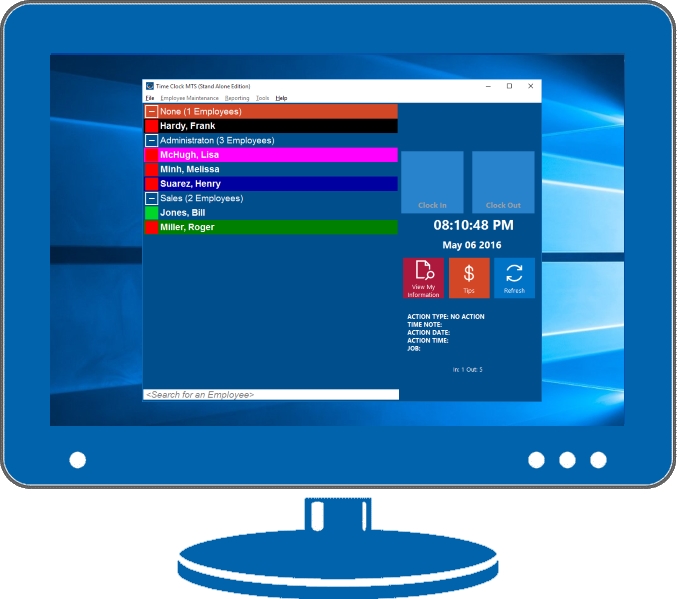
Time Clock MTS Stand Alone Edition
With personal computers becoming less and less expensive and old models usually left unused there’s no reason to not put these machines to a useful purpose. One great use is to replace your paper based time clock card system with an electronic time clock system such as Time Clock MTS. Time Clock MTS will run on pretty much any computer from the last several years and give you a time clock card system that is far superior to older manual paper based systems.
You can collect your time and attendance information at many locations but automatically store it in one data store for easy and instant payroll reporting. Time Clock MTS will do all of your overtime calculations and your payroll calculations using your rules in just seconds and without error. The software contains a number of security features that will help to minimize or eliminate the problems experienced with older manual systems. Employees can no longer manipulate their time card information manually and buddy punching is largely eliminated.