
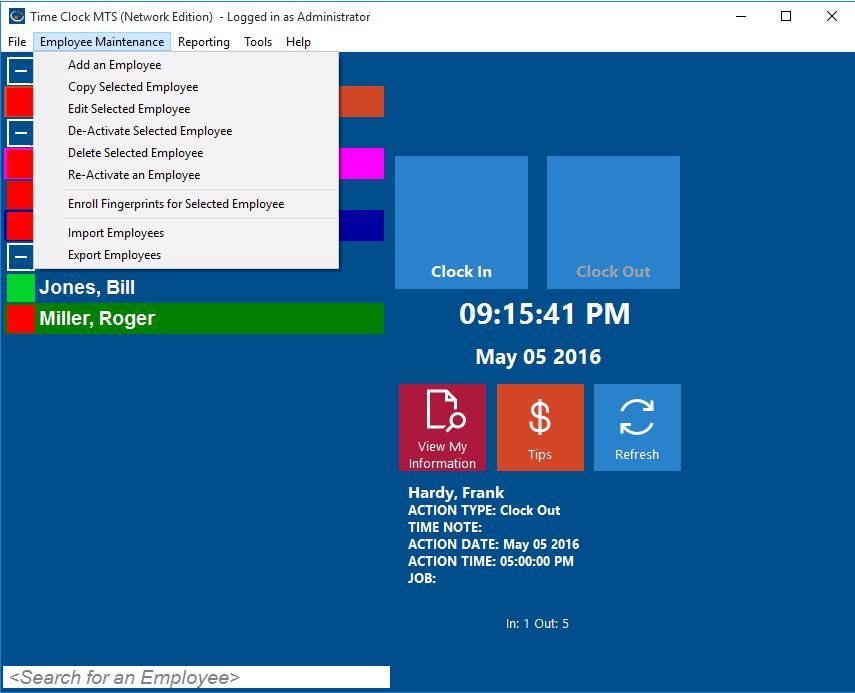
Employee Maintenance Dropdown
Time Clock MTS allows you to track attendance of employees that work for you. However, as employees leave your organization you may wish to either delete or deactivate an employee’s record in Time Clock MTS. You may want to do this to declutter the employee list or to prevent the employee from recording any more attendance information. When you Deactivate an employee you can Reactivate the employee while logged in as the administrator and using the Employee Maintenance->Re-Activate An Employee menu item. However, when you Delete an employee there’s no way of undeleting that employee from within Time Clock MTS.
However, the deletion is not permanent. The actual employee data and all of their employee attendance information is actually still present in the Time Clock MTS database. All you need to do is email us your Time Clock MTS database and let us know which employee you want undeleted. We’ll do it for you and email your database promptly and you’ll find that the employee record is now visible again.
