
Employee Tip Tracking in Time Clock MTS
use any computer on your network to record and track employee tips!

Your application has been a lifesaver for our small company. We have seen a reduction in weekly hours since we started using the fingerprint scanner.
$99 (US) for a single PC
Just $199 (US) for up to 20 time clock computers
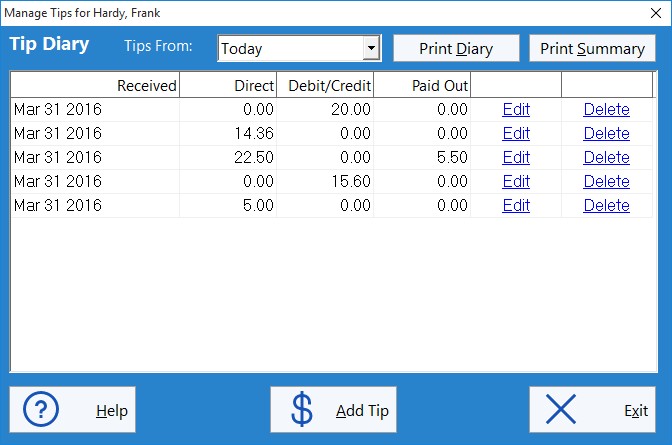
Watch a Short Movie Demonstrating Tip Tracking in Time Clock MTS
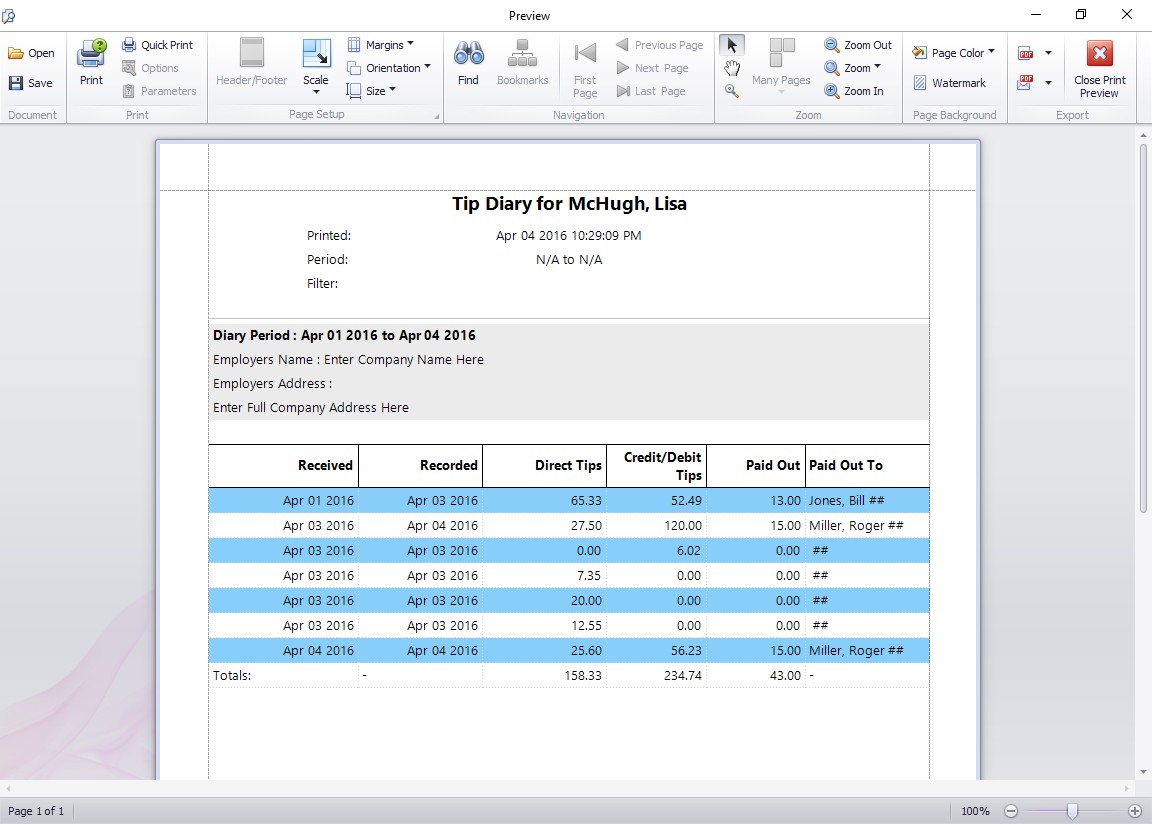
This report shows a summary of the tips received and paid out by the employee over the reporting period.
All the Flexibility and Reports You Need
Time Clock MTS is the ideal solution for any business that needs to track their employee time and attendance data AND needs a simple system for their employees to track tips and gratuities. The employee tip tracking system in Time Clock MTS allows employees to record their tips received and paid out and then report on those across any time period. The built in reports provide all information required for an employees tip diary and can summarize this information to allow for employer tip reporting to the IRS.
Tracking Tips and Gratuities Couldn’t be any Simpler!
Just follow these four easy steps:
- Start up Time Clock MTS.
- Log in as the time clock administrator and go to the Interface Settings screen.
- Check the “Enable Tip Tracking” check box and save the settings.
- Have your employees record their tips received by clicking the TIPS button on the employee time clock!
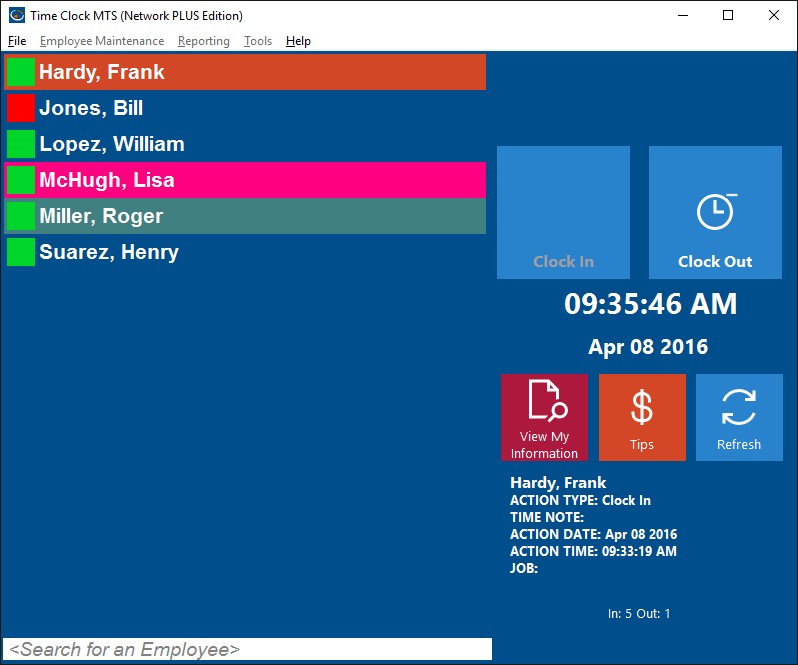
Record Tips by Clicking the TIPS button.
Time Clock MTS
The Easy Time Recording System
Time Clock MTS
The easy to use time recording software with a fully functional 30 day trial.
Buy Time Clock MTS
Purchase a registration key from our online shop. Only buy once, no monthly fees.
