
Time Clock Software for Gyms
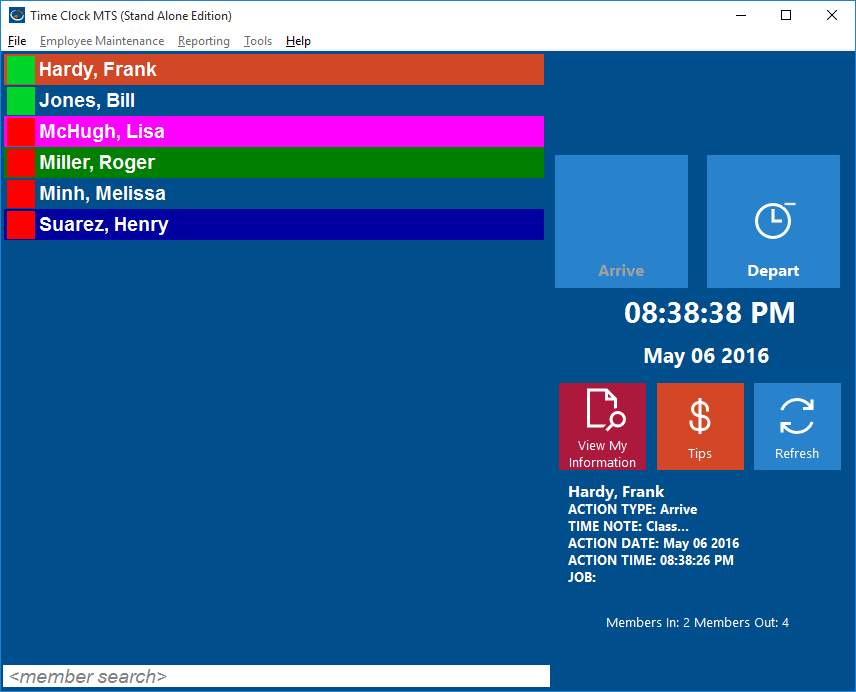
Time Clock MTS Configured for a Gym
With over 8,000 companies now using Time Clock MTS to track the attendance data of employees, it’s clear to see that Time Clock MTS is being used in many different industries. Apart from the traditional businesses with tens or hundreds of employees to keep track of, other companies have started using the time clock system in order to find an easier way to stay organized.
Out of all the Time Clock MTS users, at least 50 of them are gyms and other fitness clubs. The software is useful for these types of clubs and centers, even if there aren’t many employees. As well as keeping track of their employees, members of the gym are able to be added to the system. This will enable any gym to save member data and easily access it whenever it’s needed. Gym members can be clocked in and out, just like the employees, which helps to calculate the total time each member spends in the gym over a certain time period.
Gym members can be easily tracked with the time clock system to monitor attendance and the software can easily be configured to suit this application. In the click of a button you can see who is at the gym and even have them check into a class (just enable job tracking: job=class). Time clock MTS is very easily adapted to suit any business situation and can be very useful indeed.
Time clock software for gyms has proven to be very helpful to many users already, and Time Clock MTS might be the ideal tool to use for your gym or fitness center.