by kathryn@timeclockmts.com | Mar 16, 2009 | New Releases, News
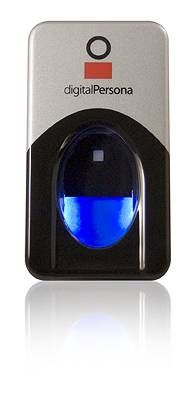
New release today that changes the way that Digital Persona Fingerprint scanner support is handled. Previously the install files for the fingerprint scanners were included in the general install file but this had beefed the install file to nearly 11 megabytes. In my opinion this was entirely too large and was probably leading to a lot of failed downloads. The fingerprint scanning feature is excellent but is currently only used by a small number of companies so I’ve decided to make support optional and not make the download excessively large for everyone. So, Time Clock MTS now detects if fingerprint support is installed when you try to access any of the fingerprint features within the software and prompts you to download and install the fingerprint scanner install files. Hopefully this will make things a lot easier for new users of the software and help improve download speeds and success rates.
I’ve been a bit remiss posting entries here when I’ve uploaded new versions lately so I’ll just cover the changes to the last few versions quickly (because they’ve been very minor).
Version 2.2.5
Version 2.2.4
- Fix to problem with adding employees to the database for people who had installed the update file, problem was caused by release of version 2.2.3.
Version 2.2.3
- Reworked all of the code that updated the Time Clock Database when upgrading to a new version of the software. Tested to make sure that MS SQL and MySQL databases were updated properly back from version 1.7.3.
Version 2.2.2
- Fix to minor vacation / sick time rounding problem.
by Mark Nemtsas | Mar 10, 2009 | New Releases, News
As I mentioned in my last post the time servers
time-a.nist.gov, MD USA
time-b.nist.gov, MD USA
appear to have stopped to responding for time requests in the format that Time Clock MTS requires. I have released a new version of the software (version 2.2.5) that swaps out these two servers for two new ones that do work. The new servers are:
nist1.uccaribe.edu in Puerto Rico
nist1-ny.WiTime.net, NY USA
If you are having troubles with your time server and dont want to bother with the fix I suggested in the last entry then just update all your admin and client version of Time Clock MTS to the latest version and you should be up and running.
by Mark Nemtsas | Mar 7, 2009 | New Features
Did you know that Time Clock MTS has recently integrated biometric technology into it’s software? With the use of a U.are.U fingerprint scanner by Digital Persona you can now feel more secure in the knowledge that your employee time and attendance data is more accurate than ever.
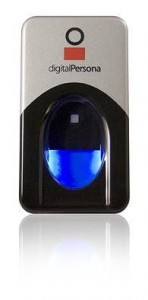
A Digital Personal USB Finger Scanner
You can see one of these scanners above. They can be obtained from Californiapc.com and it’s as simple as plugging in the scanner to your usb port. It’s simple to setup employees and enroll their fingerprints into the software for clocking in and out, just look at our flash tutorial. Each employee can store two different fingerprints. Verifying their fingerprint will can be required if the employee needs to punch in or out, when they want to view their own time card, and when they want to record tips or manage their time off requests. Optionally an employee can be excluded from the fingerprint security and be required to enter their PIN instead. This is to allow for employees whose fingers refuse to scan reliably.
If you make use of the fingerprint technology in our software you will eliminate buddy punching or misuse by your staff. If you’re wondering what buddy punching is and how fingerprint security can help reduce it then you should read this article. Right now Time Clock MTS is one of the most affordable time clock systems on the market that includes fingerprint security. In fact, it can be had on a single PC with a finger scanner for under $200. You can try out our fingerprint time clock software free of charge and see how it works for you for 30 days without obligation.