
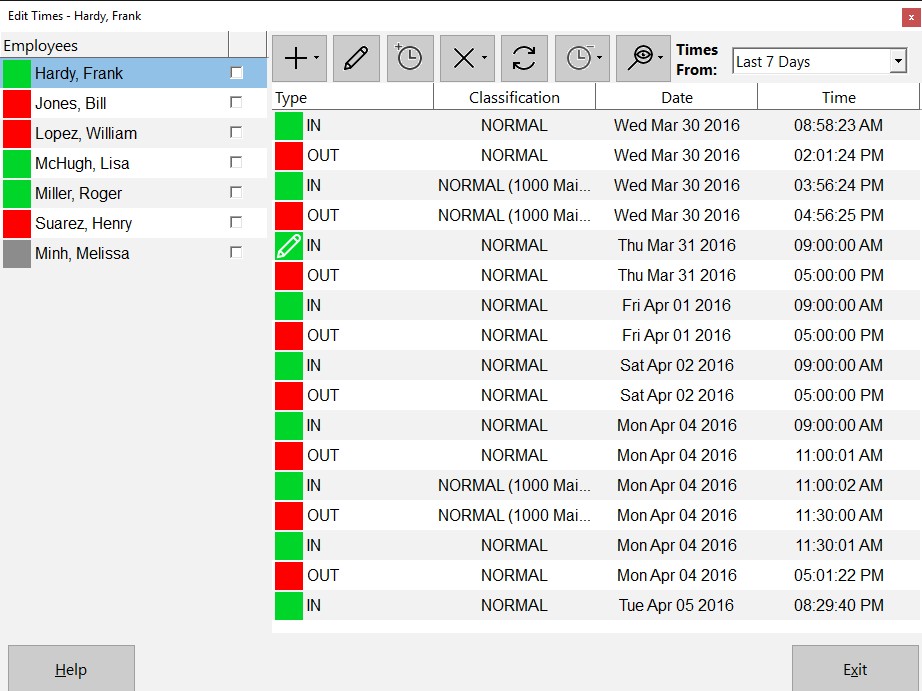
The Edit Times Screen
This Time Clock MTS How To Article covers how the Time Clock Administrator can punch out all employees that are currently punched in quickly and easily. This can be especially useful at the end of the work day to punch out any employees that may have forgotten to punch out when they left work for the day.
To punch out all employees that are currently punched in just follow the steps below..
- Log into Time Clock MTS as the administrator. How you log in as the administrator was covered in this How To Article.
- Go to the Tools->Edit Times screen and you’ll be shown the screen at the top of this article.
- Click the Punch In / Out
 button and choose the Punch Out All Employees option from the menu that pops up.
 - A popup screen will give you the chance to set the punch out time for the group of employees. See the screen below. In this example we’ve set the time to 5:00:00PM.
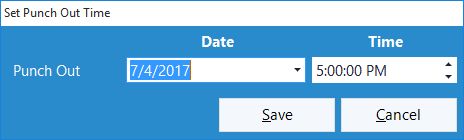
Setting the Punch Out time
- Confirm that you want to punch out all employees in the confirmation window that is then shown.
- All employees that are punched in will be punched out of Time Clock MTS
If this article isn’t what you were looking for you might find the How to Punch In All Employees article or how to Punch a Group of Employees In or Out article useful.
