
The Tip Summary Report
This Time Clock MTS How To Article covers how you can run reports on employee tips. There are three main employee tip reports in our tip tracking software and this how to article describes each in detail. Employee Tip reports can be run from the Reporting->Payroll Reports screen and you must be logged in as the Time Clock MTS administrator to access the reports. As is normal with most other Time Clock MTS reports you can run any of the tip based reports for a date range, one or many employees, or by department.
The Tip Summary Report
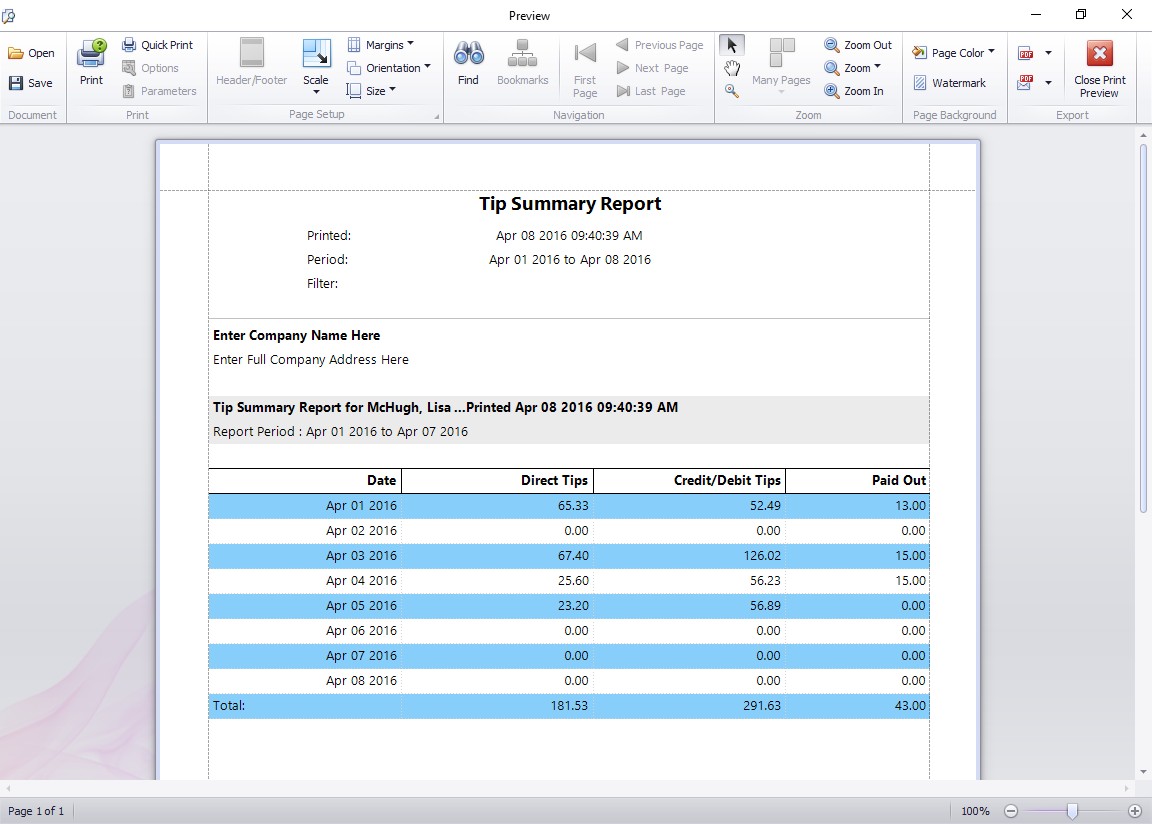
The Tip summary report (shown above) gives a day to day breakdown of tips for each employee. This includes a daily report on tips received directly, credit/debit card tips received, and tips paid out to others.
The Employee Tip Diary Report
The Employee Tip Diary Report
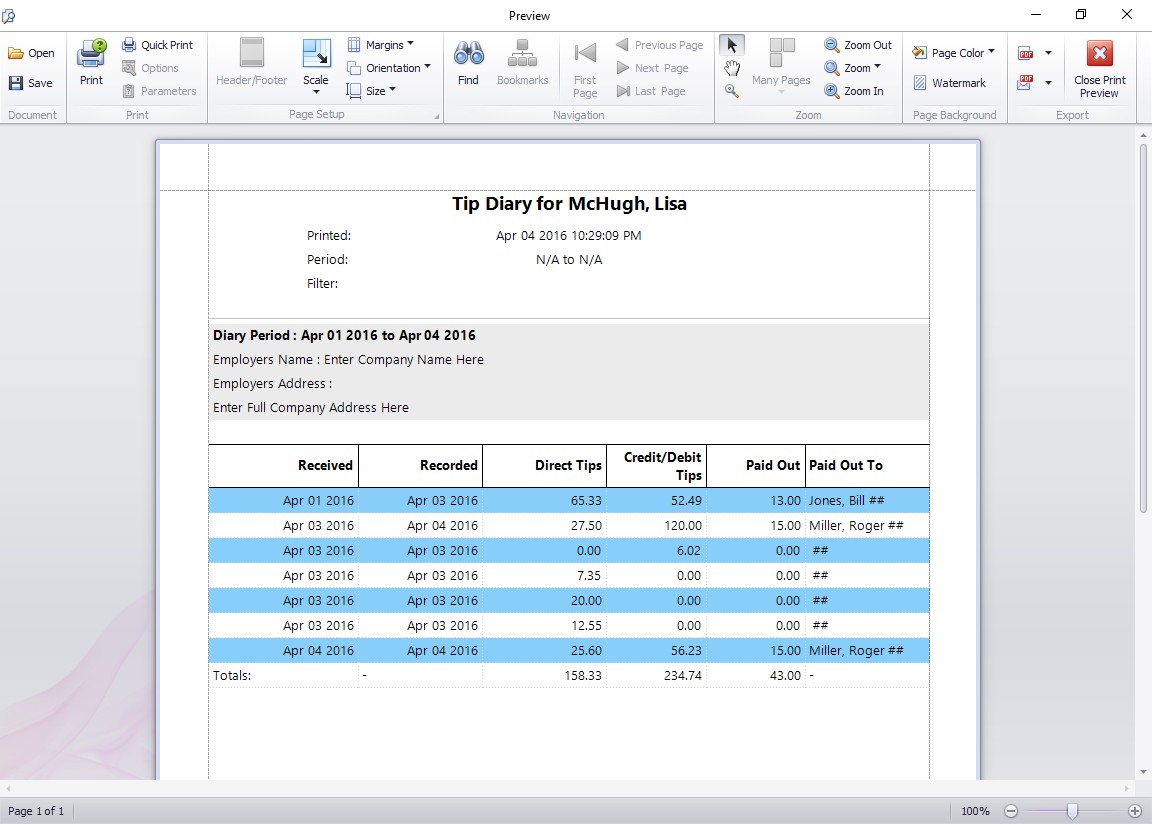
The employee tip diary report gives full details of each entry made by the employee into their tip diary across the reporting date range. Totals are then displayed for each type of tip over the reporting period. This report is very similar to Form 4070A Employee’s Daily Record of Tips which is available from the IRS.
The Employee Tip Diary Summary Report
The Employee Tip Diary Summary Report
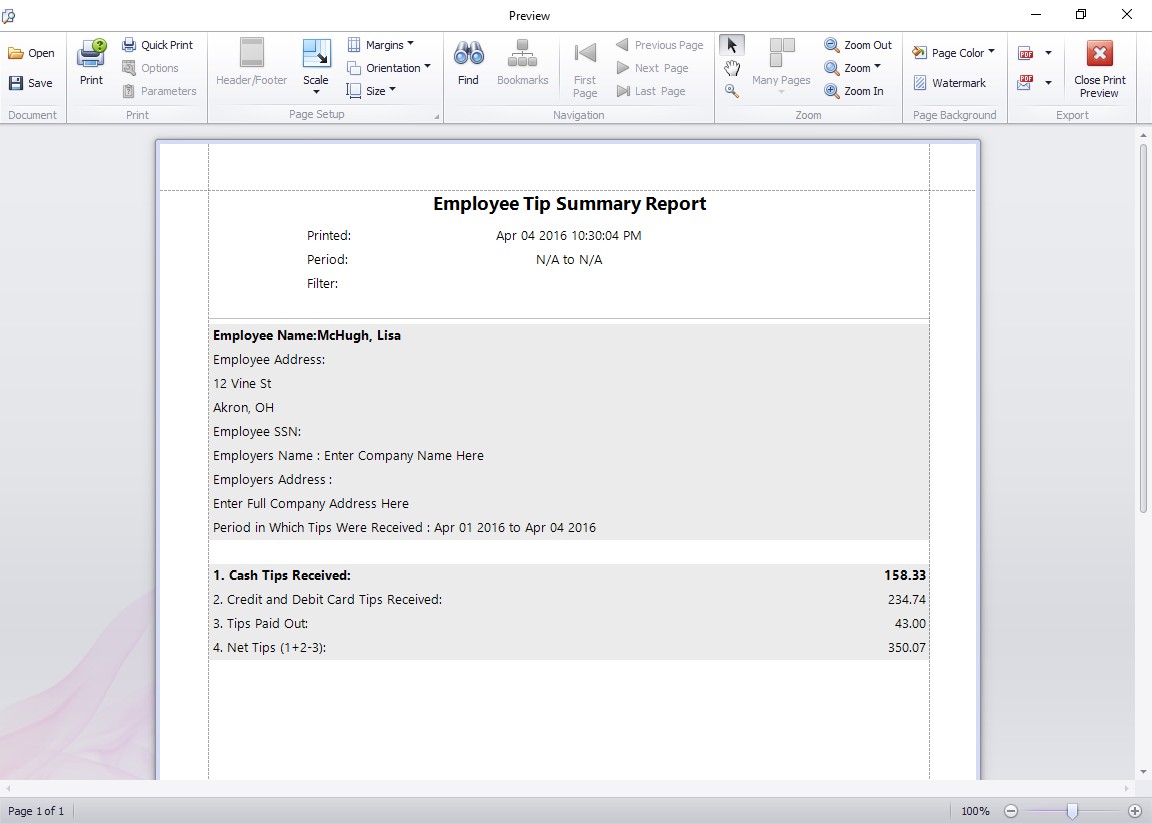
The employee tip diary summary report produces a very easy to read summary of the employee tip activity over the selected reporting range. Totals are displayed for each type of tip over the reporting period. This report is very similar to Form 4070 Employee’s Report of Tips to Employer which is available from the IRS.
