
Time Clock MTS has three levels of user access. That of the normal user or employee who just needs to clock in or out, the reports user, and that of the Administrator who needs to configure Time Clock MTS and run reports. To use Time Clock MTS as the adminstrator you need to log in as the Administrator using a password.
How Is the Administrator Password Set?
The administrator password is set by you when you first install and run the Time Clock MTS Administration program . The screenshot below shows where you enter the administrator password.
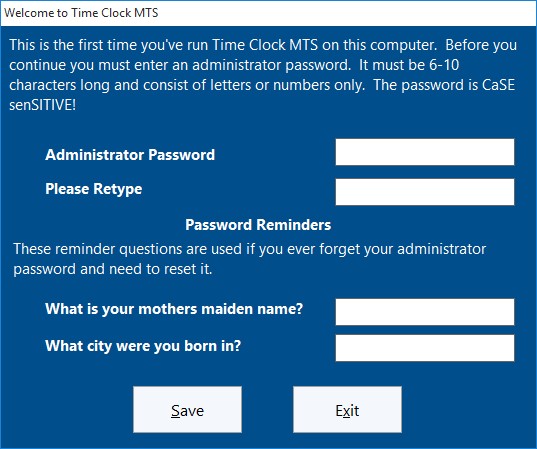
Set Administrator Password
How do I log in as the Administrator?
By simply using the File->Log in as Administrator menu.
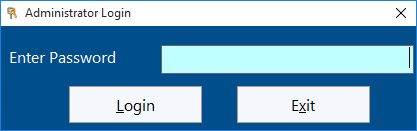
Administrator Login Screen
Can I Change the Administrator Password?
Yes you can change the administrator password any time you like. All you need to do is run the Time Clock MTS Administration program and log in as the administrator. Then go to the Tools->Options->System Options screen. For more help on this try taking a look at the System Options Help Topic.
I’ve Forgotten the Administrator Password What Do I Do?
If you know your password reminder question answers then you can simply reset the administrator password. If you have forgotten everything then you’ll need to send us your Time Clock MTS database so we can reset it for you.
