
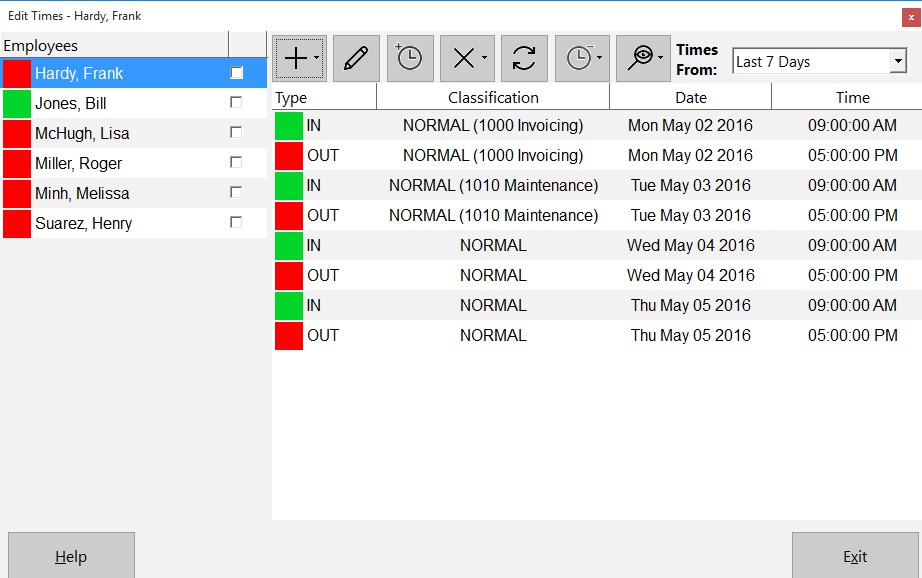
The Edit Times Screen
Employees forgetting to clock is a common problem that all employers have to deal with. Today we received an email from a Time Clock MTS user asking the best way to deal with this situation. Here’s the users question:
What I am trying to do is to clock in employees while they are working, because sometimes they forget to clock in at the beginning of the shift and they tell me about 2 hours later to clock them in, but I can’t because it won’t let me clock them in without giving them a clock out time as well, and well the times they leave varies because we work in the restaurant business
Solving the problem is easy. Here’s how in just a few simple steps:
- Log into Time Clock MTS as the Administrator.
- Go to the Tools->Edit Times menu.
- Select the employee you want to add the time for and click
 to clock one or more employees in or out (see image above) and select clock in selected employee.
 - Click yes to confirm the clock in.
- Select the clock out time for the time you have just added on the list of times.
- Select that time from the list and you can now click
 to edit the selected time to adjust the time back to clock in when the person arrived at work. Click to save the time.
So now the employee is clocked in, with the time added manually and they can clock out normally at the end of the day. You can also add forgotten clock out punches in this way for one employee or all employees. This process takes just under a minute and really couldn’t be easier.
