
Time Clock MTS Quick Tour – Reporting
 Quick Tour – Overtime | Quick Tour – Security
|
Time Clock MTS provides a flexible and fast reporting system that can produce completely up to date reports that are suitable for many purposes. Some are useful for supply to your payroll department, others are useful for supply to employees, yet others can be used by departmental heads and managers to track and understand employee costs. Certain reports are intended for reference purposes, such as the employee badge number report and the job number report. Reports can be run for any date period, shift, department or any number of employees, with or without configurable report headers and footers. Additionally, Time Clock MTS can round report times if your company uses a time rounding policy. Almost every section of every report is configurable. For example you can have your own report headers and footers, and you can define exactly what information appears in the employees payroll information. This is useful to suppress the default overtime fields or sick time / vacation time fields if they are not used in your company. Times on reports can be displayed either in hours and minutes, or as decimals. So a time of 1 hour and 30 minutes can be displayed at 1:30 hrs or 1.5 hrs. |
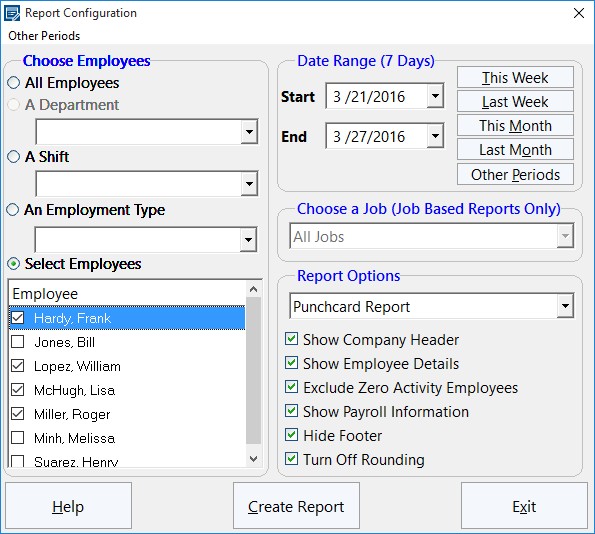 The Payroll Reports Configuration Screen 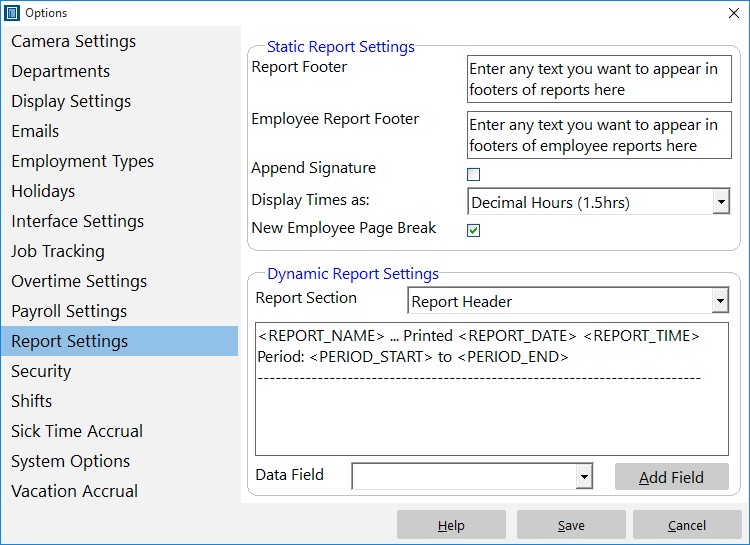 The Report Settings Screen |
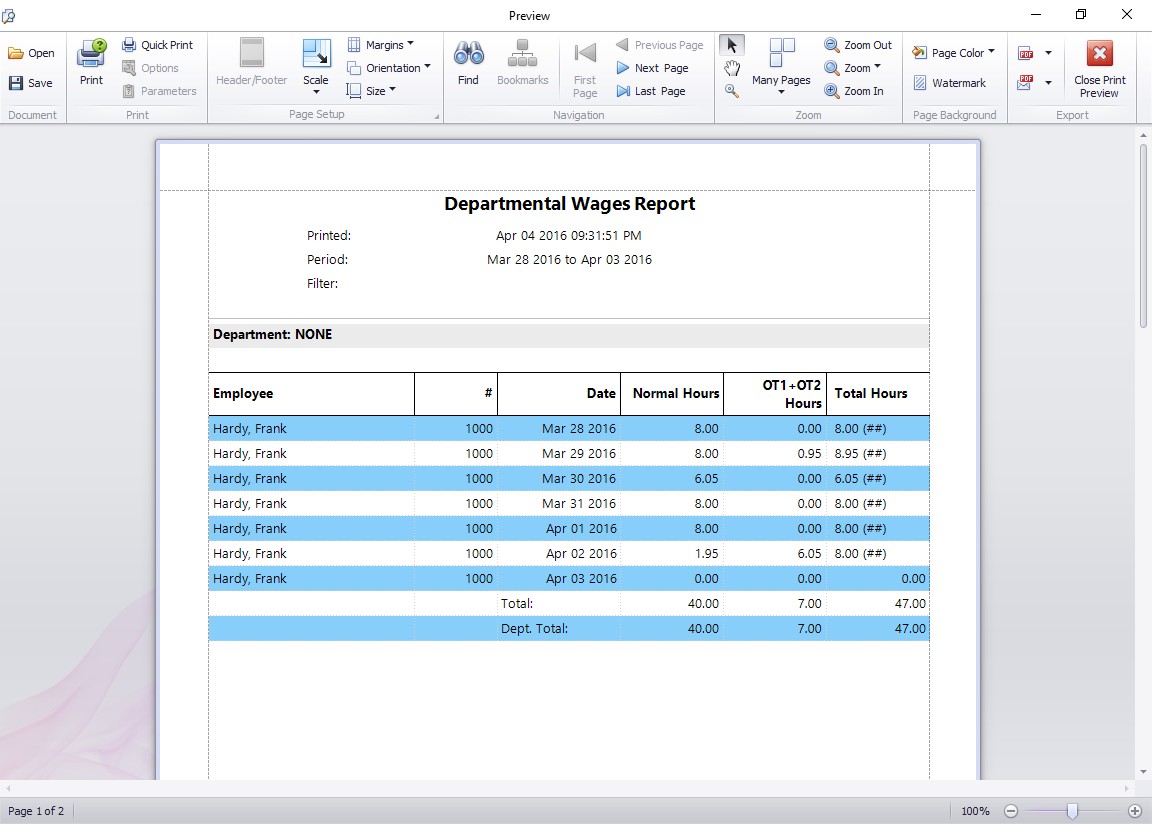 The Departmental Wages Report 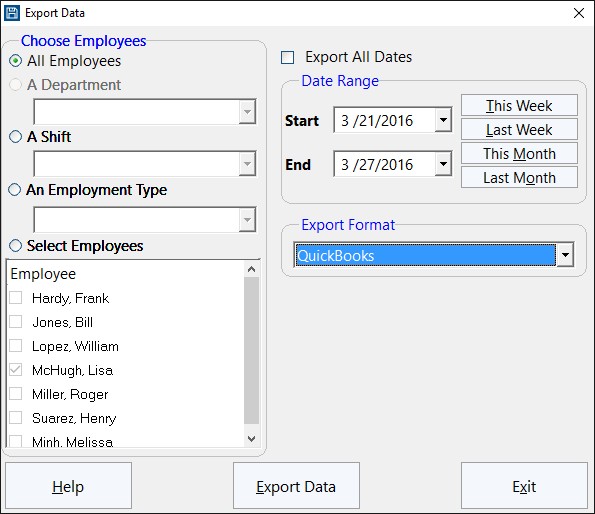 Exporting Data from Time Clock MTS |
All reports in Time Clock MTS are viewed via the internal report viewer. Each report can be exported easily to many different formats, including PDF, Word, Excel, as an image, or as rich text. In addition, all reports can be emailed from within the report viewer in any of these formats. All reports can be printed instantly and the page format changed to suit your business requirements. Time Clock MTS includes some simple data export functionality to get the information out of the software for processing in other systems. Other than exporting data directly from reports you can also export raw employee clock in/out data via the Export Data screen. This screen allows you to export data via a number of different formats and would be useful for data transfer between Time Clock MTS and a payroll software package such as QuickBooks or Sure Payroll. |
|
Using the Search Database screen advanced users of Time Clock MTS can execute arbitrary queries against the built in Time Clock MTS SQL database and export the results to Excel for further processing. The Search Database screen also includes a simple query builder that allows all data from a particular database table to be extracted and analyzed. Generated queries can be saved and re-used, especially useful if you build a database search query that you want to use periodically for reporting purposes. |
|
|
Time Clock MTS includes a powerful and flexible data export system that allows you define almost any data export format you like. This exported data can then be easily imported into other database systems or into your payroll software. |
|