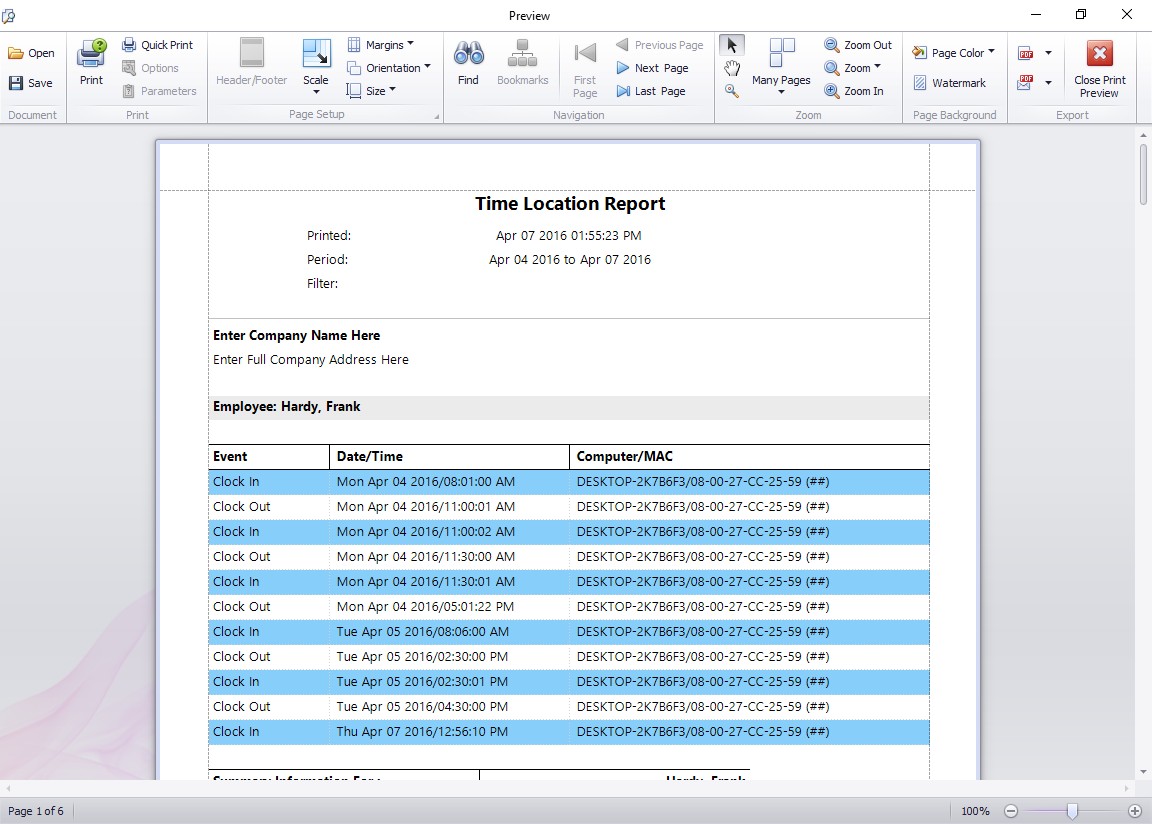
This report is a security focussed report that displays the clock in/out location for each time in the selected report period. From Version 2.2.12 of Time Clock MTS onwards the Windows Computer Name and Network MAC address of the computer the employee clocks in or out from are recorded along with the time. This will help you determine if there is any fraudulent punching happening within your organization.
Output Options
Exporting and Emailing Reports
This report can be exported and saved or emailed directly in a variety of different formats by clicking Export at the top right of the reporting screen. Formats available include Excel (xls,xlsx), PDF, RTF, HTML, text, comma separated (CSV), or as an image (JPG, BMP, TIFF and more). Click the Print button to print the report.