
Time Clock MTS Backend Databases
Just What is the Time Clock MTS Backend Database?
The ‘backend database’ is the data store in which all global Time Clock MTS information is stored. This data store is used by the main Time Clock MTS (stand alone and administrator) program and the Time Clock MTS Client software. If you’re using the Stand Alone Edition or Network Edition of Time Clock MTS then it uses a Microsoft Access database (but you do not actually need MS Access to use Time Clock MTS). If you are using the Network PLUS Edtion then Time Clock MTS can use SQL Server, SQL Express, or MySQL as a backend database (as well as the default Access option).
Microsoft Access Backend Database
If you’re using the Stand Alone Edition or Network Edition of Time Clock MTS then a MS Access database is used as a backend datastore. This has several advantages. It’s easy to setup, it’s cheap, and if you have MS Access it’s easy to generate your own reports using the Access report builder. It does, however, have it’s failings. File permissions can be an issue as you need to give full access to the folder the database is in. Also, Access can really only support 20 database connections reliably. The upshot of this is if you are happy to do a bit of basic network configuration and you only want to support a few users then the standard MS Access database backend is a fine option. However if you want better reliability and speed, or want to support more than 20 client connections then you should consider upgrading to the Network PLUS Edition so you can make sure of the more rugged SQL Server or MySQL backend database options.
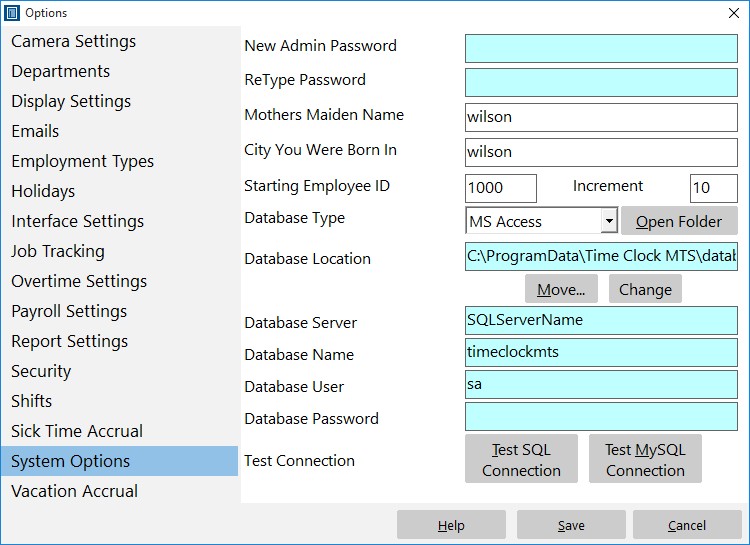
Figure 1 – The System Options Screen
SQL Server or SQL Express Backend Database
SQL Server is a relational database management system released by Microsoft. This sounds complicated but in reality all it means is that it is a database that runs as an active process on a server somewhere. This is different to MS Access which is a simple file based database. The practical upshot of using SQL Server is that you get a product that can hold a lot more data, has built in integrity and backup routines, can support many concurrent connections to the database, and is a lot faster. If you are looking for robustness, speed, and greater connectivity then the SQL Server database backend is far superior and you should consider an upgrade to the Network PLUS Edition of Time Clock MTS.
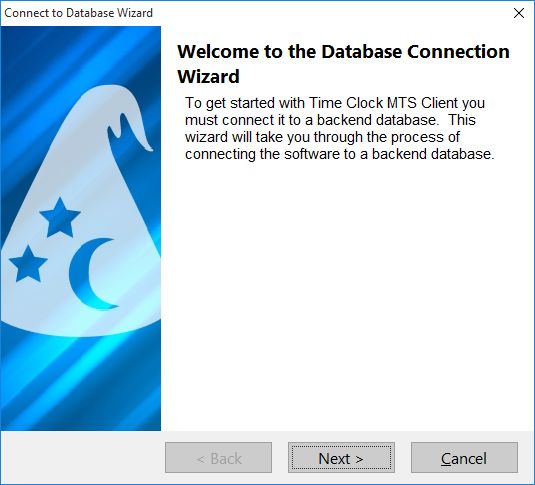
Database Connection Wizard
MySQL Backend Database
MySQL is one of the most popular enterprise database systems in the world. It is robust, fast, and reliable, and best of all there are free versions available. If your company currently uses MySQL then you can achieve the same sorts of reliability and speed that you do with SQL Server. Similar to SQL Server MySQL allows you to get a product that can hold a lot more data, has built in integrity and backup routines, can support many concurrent connections to the database, and is a lot faster. One complication with using MySQL with Time Clock MTS is that you must install a MySQL ODBC connector and configure Time Clock MTS to use the connector. This can be a little fiddly but we can usually help you through the process. That being said, if you are looking for robustness, speed, and greater connectivity then the MySQL database backend is a far superior solution to the MS Access system.
What’s the Best Solution?
If you have SQL Server or MySQL then using them with the Network PLUS edition of Time Clock MTS is by far and away the best solution. It requires more configuration and setup initially but in the long run will prove a much better answer to your time clock needs. If you don’t already own SQL Server or you are unwilling to install and administer MySQL then you’re going to need to use the Stand-Alone or Network Editions of Time Clock MTS and the Access backend they offer. This is still a good, reliable, and proven solution but it is not the ‘industrial strength’ solution that SQL Server and MySQL can be. Please note that if you require more than 20 Time Clock MTS Clients in your office, then you’re going to have to use the Network PLUS Edition of the software and the the SQL Server or MySQL backend they offer. If you don’t own SQL Server then you should think about getting it or getting someone in your organization to learn how to install and administer MySQL!
Time Clock MTS
The Easy Time Recording System
Time Clock MTS
The easy to use time recording software with a fully functional 30 day trial.
Buy Time Clock MTS
Purchase a registration key from our online shop. Only buy once, no monthly fees.
